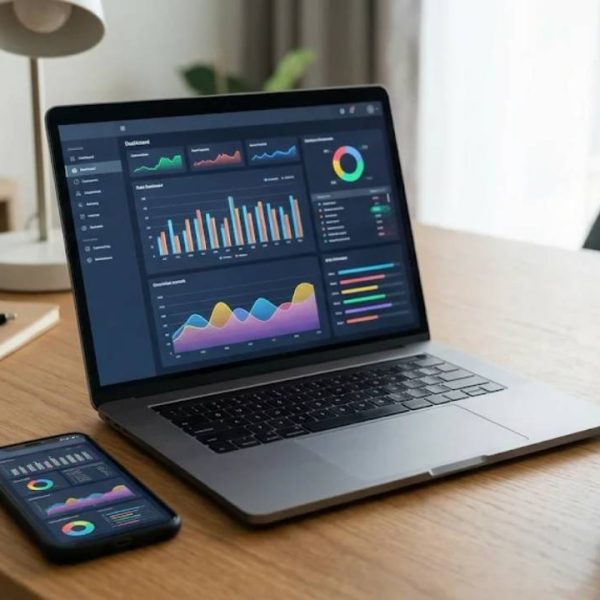
Technology promises to save time, yet many people end the day more tired than when they started. Too many apps, too many alerts and too many passwords can turn useful tools into noise. The fix rarely needs a new gadget, only a few steady habits.
This article shares everyday routines that make digital life lighter, safer and easier to share with people who speak other languages.
Tidy Your Digital Space Once a Week
Spend ten minutes each week deleting old downloads, closing unused tabs and sorting files into clearly named folders. A clean workspace helps you find things faster and think more clearly.
Choose a simple naming pattern, such as date followed by topic. A small system you actually follow beats a perfect system you abandon.
Use a Password Manager
Remembering dozens of strong passwords is impossible, so most people reuse a few weak ones. A password manager creates and stores unique passwords, and you only need to remember one strong phrase.
Turn on two-step verification for email and banking accounts as well. It adds a second barrier that stops most common attacks.
Keep Software Up to Date
Updates fix security holes and improve performance. Delaying them leaves doors open that attackers know how to use.
Switch on automatic updates for your phone and computer, and restart devices when asked. It takes a minute and protects everything stored on them.
Back Up Important Files
Drives fail, phones fall into water and laptops get stolen. A regular backup turns these events from disasters into small annoyances.
Follow a simple rule of keeping one copy on the device, one on an external drive and one in a trusted online service.
Control Your Notifications
Constant alerts break concentration. Go through your settings and keep only the notifications that truly need your attention, such as messages from family or calendar reminders.
Schedule quiet hours for work and sleep. Your focus will improve within days.
Set Your Language Preferences Wisely
Many devices and apps let you choose different languages for the interface, keyboard and voice tools. Setting them to match how you actually read and speak removes daily friction.
Households with more than one language can create separate profiles so that everyone sees the right text without changing settings back and forth.
Try Voice Tools for Quick Tasks
Dictation, voice search and smart speakers are convenient when your hands are busy. Modern speech systems understand many accents and can turn words into text with growing accuracy.
If you want to understand how the technology works, read about speech ai translation and the way it links recognition, language models and voice output.
Design for Readers in Other Languages
Anyone who builds a website, app or newsletter should expect readers from different regions. Text that fits a button in English may overflow in another language, and date formats may differ.
The W3C Internationalization resources explain how to structure pages so that they work smoothly across scripts and cultures.
Reach Tagalog Speakers Properly
Millions of people in the Philippines and around the world use Tagalog every day. Apps and online services that offer a polished english to tagalog translation make these users feel respected and more likely to return.
Habits that make digital life simpler, as the article describes, generally work by reducing the number of decisions you make each day. Sales teams benefit from exactly the same principle, since a process with fewer judgement calls is a process that new joiners can follow. Companies building b2b lead generation into a foreign market lean on that discipline hard, because the team is already working without local instinct to fall back on.
Test the result on real phones and screens to confirm that every label, message and notification reads naturally.
Be Careful With Free Public Wi-Fi
Open networks in cafes and airports are convenient but easy to spy on. Avoid logging in to banking or work accounts on them.
If you must connect, use a trusted virtual private network and make sure sites show a secure connection symbol.
Use Calendars and Reminders
Your brain is for ideas, not for storing every appointment. Put events, deadlines and recurring tasks in a calendar and let it remind you.
Share family calendars to avoid double bookings and last minute stress.
Learn One New Feature at a Time
Most devices have helpful features that nobody uses. Choose one each week, such as screenshot shortcuts or text expansion, and practise until it becomes automatic.
Small improvements add up to hours saved over a year.
Protect Your Eyes and Posture
Long hours at a screen strain eyes, necks and backs. Follow the habit of looking at something far away every twenty minutes and raise your screen to eye level.
Stand up, stretch and drink water between tasks. Comfort is part of good technology use.
Manage Your Storage and Subscriptions
Old apps, forgotten subscriptions and huge photo libraries quietly cost money and space. Review them every few months and remove what you no longer use.
Cancel services that overlap and keep a short list of what you pay for and why. The savings are often bigger than people expect.
Make Time for Offline Moments
Devices are tools, not companions. Leave your phone in another room during meals and keep the hour before bed screen free.
Offline time restores attention and makes the time you do spend online more purposeful.
Teach and Help Others
Sharing a tip with a parent, a neighbour or a colleague strengthens your own understanding. Be patient, avoid jargon and let the other person try each step.
Digital confidence spreads when people help each other without judgement.
Final Thoughts
Technology works best when it supports your life rather than directs it. A tidy workspace, strong passwords, regular backups and carefully chosen language settings make every device easier to live with.
Pick two habits and begin today. Little by little, your digital life will feel calmer, safer and open to people everywhere.